YouTube MCP Server for Claude, Cursor and ChatGPT
 Ilias Ism5 min read
On this page
TL;DR
- A YouTube MCP server lets Claude, Cursor or another MCP client read a video from its link. Scribiz runs one at https://scribiz.com/mcp that needs no key.
- Without a key it reads up to 10 minutes of video a day, videos up to 15 minutes, with 30 caption lookups and 5 questions a day. It never looks at the picture.
- A video with no captions is read by a model from the link, so its times are approximate, about 2 seconds either way.
A YouTube MCP server is a tool your AI app calls to read a YouTube video from its link, so you do not paste a transcript. Scribiz runs one at https://scribiz.com/mcp that needs no key: add the address to Claude Code, Claude or Cursor, then give the model a link.
Below is how the model gets the video, what the keyless server does and where it stops, the install line for each client, and how it differs from servers that only fetch captions.
What MCP is
MCP (Model Context Protocol) is the open standard that lets an AI app call tools. A server offers the tools, and the app decides when to call one.
How a model gets a video from a link
A model cannot watch a link by itself. Our guide on what ChatGPT and Claude can do with a YouTube link has the sources for that. With a server connected, this happens instead:
- You paste a YouTube link and ask your question.
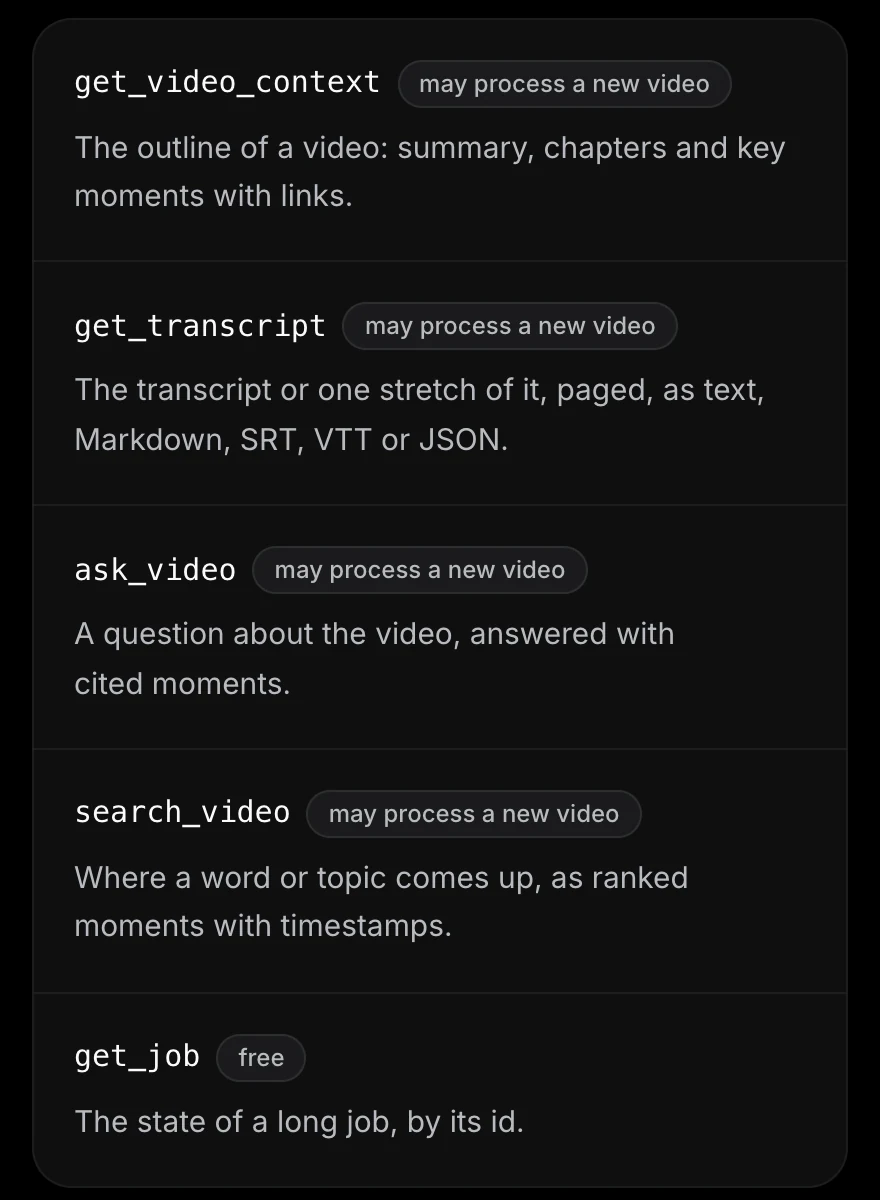
- The model calls
get_video_contextwith the link. It gets a short overview: title, length, summary, chapters and key moments. - The server finds the words one of three ways. It uses the video's captions when it can read them. It answers at once when Scribiz has already processed the video. When there are no captions it can read, a model reads the video from its link.
- The model calls
search_videoto find a phrase,ask_videofor an answer with cited moments, orget_transcriptto read one part.
When a model reads the link, the times are approximate, about 2 seconds either way, and there are no speaker labels. The result says so, and your assistant should say so when it cites a moment.
This is part of a real get_video_context result from the keyless server, for the 19 second video "Me at the zoo", fetched on 6 October 2026 and trimmed to the fields that matter here:
{ "status": "done", "durationSeconds": 19.133, "onScreenAvailable": false, "free": true, "minutesUsed": 0, "layers": [ { "layer": "transcript", "how": "listened", "status": "cached" }, { "layer": "summary", "how": "model", "status": "cached" } ], "warnings": [{ "code": "DOWNLOAD_FALLBACK_URL_DIRECT" }, { "code": "TIMING_APPROX" }]}Scribiz had already processed that video, so the call used 0 minutes. The two warnings say a model read the video from the link and that its times are approximate.
The keyless server and its limits
https://scribiz.com/mcp works with no account and no key, inside a daily allowance. Days are UTC and everything resets at 00:00 UTC.
- Reading: 10 minutes a day, the same 10 as the free web tool. It is charged by the length of the video that was read, and captions use a tenth of that.
- Longest video: 15 minutes. A video known to be longer is refused before anything is used.
- Caption lookups: 30 a day.
- Questions: 5 a day with
ask_video, 0.1 minute each. - A shared limit: one more daily limit is shared by everyone who connects without a key.
- Never the picture: the keyless server does not look at the video's picture, so there are no on-screen notes. A question about what was shown is answered from the words only.
- Links only: it takes public links, not files on your disk.
A video Scribiz already processed costs nothing, except a summary it has not written yet, which uses a tenth of the video's length. When your 10 minutes or the shared limit are used up, captions and videos already processed still work, and the error says what is used up and when it resets.
Install it in Claude Code
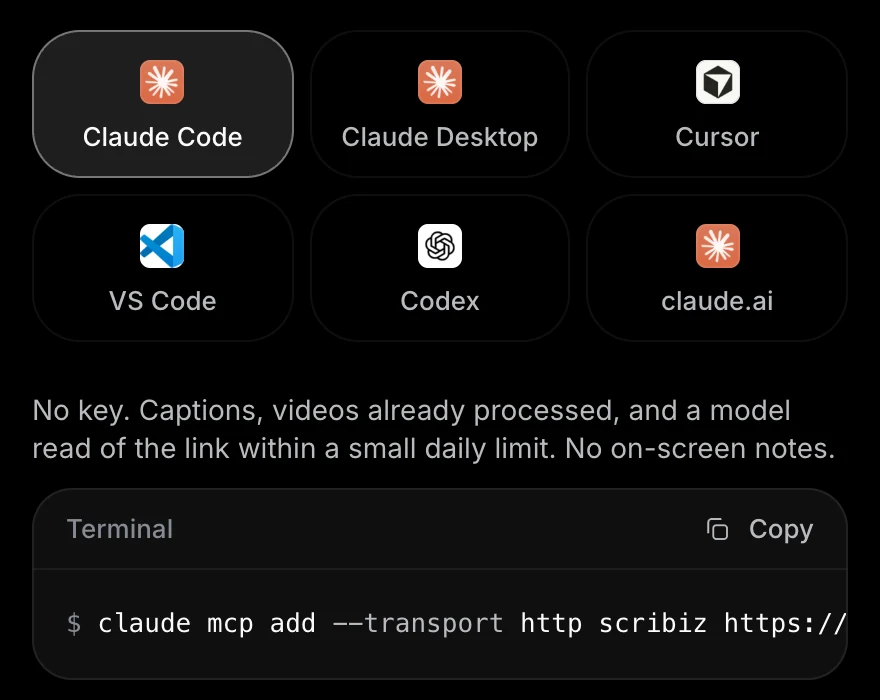
claude mcp add --transport http scribiz https://scribiz.com/mcpRun /mcp inside Claude Code to see the server and its tools.
Install it in Claude
In Claude Desktop, add a custom connector:
Customize, Connectors, Add custom connector.Name: ScribizURL: https://scribiz.com/mcpIn claude.ai, open Settings, then Connectors, then Add custom connector. Paste the same address and choose no authentication. Menu names change, so look for the custom connector option.
Install it in Cursor
Put this in ~/.cursor/mcp.json, or in .cursor/mcp.json inside a project:
{ "mcpServers": { "scribiz": { "url": "https://scribiz.com/mcp" } }}Works in Claude, Cursor and Codex.
Set up the MCP serverVS Code and Codex are in the install guide.
What about ChatGPT
OpenAI's help page says ChatGPT can connect to a custom MCP server in developer mode, on the web. We have not tested Scribiz in ChatGPT, so we give no steps for it.
Check that it works
Ask your assistant: "Use Scribiz to summarize https://www.youtube.com/watch?v=jNQXAC9IVRw". Expect a call to get_video_context and a short summary: a visitor in front of the elephants, remarking on their long trunks. The result says how the transcript was made and what it cost.
How it differs from caption-only YouTube MCP servers
Many YouTube MCP servers do one job: fetch the captions YouTube already has. Two READMEs we read on 6 October 2026 say it plainly. One "provides direct access to video captions and subtitles", with an optional video analysis tool that needs a TwelveLabs key. The other "uses yt-dlp to download subtitles".
They are open source and run on your machine, and no daily allowance of ours applies to them. Where Scribiz differs:
- No captions. A caption fetcher has nothing to return. Scribiz has a model read the video from its link, with approximate times.
- Size. A caption file is the whole transcript. Scribiz starts with an overview of under 2,000 tokens, then searches and reads only the part that matters.
- Answers with links.
ask_videoreturns 3 to 5 cited moments, each with a link that opens the video at that time. - Nothing to install. It is a URL. The other side of that: the link goes to Scribiz's servers, and for a video Scribiz has not processed, to Google's model.
If every video you use has good captions and you want everything local, a caption server is enough.
With an API key
A key does not raise the free allowance. It moves the work to your account's minutes, and adds Listen, and Watch, which reads the picture. A free account has 30 minutes a month, and keys are made in the dashboard after you sign in with an email link. Connection modes compares the two, and the local server that runs on your machine.
Treat the video's text as untrusted
A video can say "ignore your instructions". Scribiz wraps everything it returns from a video as untrusted text, and your assistant should not follow instructions inside it. Read Security before you give an agent tools that can act for you.
The MCP overview covers the tools, the cost of each call and the errors.
Sources
Checked on 6 October 2026, except where a date is given.
- MCP overview, Install and Limits and cost, Scribiz docs
- mcp-server-youtube-transcript, README
- mcp-youtube, README
- Developer mode and MCP apps in ChatGPT, OpenAI Help Center (read on 4 October 2026)
- Custom connectors using remote MCP, Claude Help Center (read on 4 October 2026)