
 YouTube
 TikTok
 podcast
 Claude,
  Cursor or
  Codex with the
  Instagram
 Vimeo
Vimeo X
XFree
$0
Paste a link, no account needed.
- 30 caption lookups a day
- 10 Listen or Watch minutes a day
- 30 minutes a month with a free account
Try a sample:or
How it works
A YouTube, TikTok or podcast link, or a file from your computer.
Good captions are used as they are. With none, it listens to the audio.
Read it with timestamps, copy the text, or download subtitles.
In every result
Listens when captions are missing. Poor captions are skipped.
Reads slides, code and screen text. Each note has a timestamp.
Tells voices apart in calls. Best with two speakers.
A short summary and a chapter list. Each one links to a time.
Formats
Subtitles for your video editor, plain text for your notes, Markdown for an AI chat and JSON for your code.
100:00:00,000 --> 00:00:03,524Okay, let's start with a question I get every year.200:00:03,524 --> 00:00:07,400Why are there two high tides a day, and not one?
Modes
Auto picks the cheapest way that works. Listen transcribes the audio, Watch reads the screen, and Both does the two together.
Minutes per minute of video
Captions found, used
0:07The usual answer is that the Moon pulls the ocean toward it.
0:15So here is the key idea. Gravity gets weaker with distance, so the Moon pulls harder on the near side of Earth than on the far side.
MCP server
One MCP server. Your agent reads the transcript, searches it, and answers with links to the exact second.
> Why are there two tides a day?youtu.be/tides-lecture
Gravity weakens with distance, so the Moon pulls the near ocean harder than the far one. It is explained at 0:15 and the slide is at 0:00.
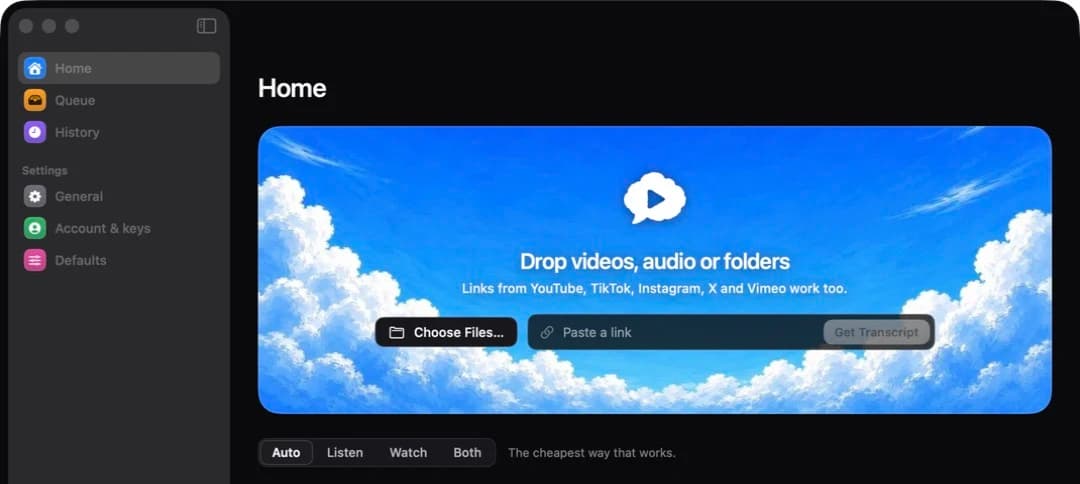
Mac app
A file is never uploaded whole. Only its audio, or a small low-resolution copy for Watch, leaves your Mac.
Pricing
No account needed for videos up to 15 minutes. A free account has 30 minutes a month.
$0
Paste a link, no account needed.
$10per month
For people who work with video every week.
Not on sale yet.
$99once
The Mac app, yours for life.
Not on sale yet.
FAQ
Limits, sources and what happens to your video.
Or